How to Choose a Wireless Mechanical Keyboard for Productivity
Looking for a wireless mechanical keyboard for work, programming, study, or everyday productivity? Learn what to consider before buying, including switches, connectivity, comfort, battery life, layout, compatibility, and value.
AffiliateVerse is reader-supported. We may earn a commission from links on this page at no extra cost to you.
Overview
# How to Choose a Wireless Mechanical Keyboard for Productivity
A good keyboard can make a noticeable difference when you spend hours writing, programming, studying, managing documents, or working at a computer.
Wireless mechanical keyboards are particularly attractive because they combine the feel of mechanical keys with a cleaner, cable-free desk setup.
However, choosing the right keyboard is not simply about finding the most expensive model. The best choice depends on how you work, the devices you use, the keyboard layout you prefer, and the features that matter most to you.
In this guide, we'll explain the most important things to consider before buying a wireless mechanical keyboard.
What Is a Mechanical Keyboard?
A mechanical keyboard uses individual mechanical switches beneath its keys. These switches provide a different typing experience from the membrane keyboards commonly included with basic computers and office setups.
Mechanical keyboards are popular with programmers, writers, students, gamers, and professionals because many users prefer their key feel and feedback.
The exact experience depends on the type of switch, keyboard design, keycaps, layout, and other factors.
Why Choose a Wireless Mechanical Keyboard?
A wireless keyboard can help create a cleaner and more flexible workspace.
Instead of keeping a cable connected to your computer at all times, you can use a compatible wireless connection and keep your desk less cluttered.
A wireless mechanical keyboard can be useful for:
- Remote workers - Students - Programmers - Writers - Content creators - Office users - People who frequently switch between devices - Users building a minimalist desk setup
The right model depends on your individual requirements, so it is worth checking the specifications before purchasing.
1. Consider the Keyboard Layout
Keyboard layout is one of the first things you should check.
Some keyboards use a full-size layout with a dedicated number pad, while others use smaller layouts to save desk space.
Full-size keyboard
A full-size keyboard is useful if you frequently work with numbers, spreadsheets, or accounting applications.
Compact keyboard
A compact keyboard takes less desk space and can be convenient if you prefer a minimalist setup.
Tenkeyless keyboard
A tenkeyless design removes the number pad while keeping most of the standard keyboard layout.
Before buying, think about which keys you use every day.
2. Understand Mechanical Switches
Mechanical switches strongly influence the typing experience.
Different switches can provide different levels of feedback, sound, and resistance.
Some users prefer a softer and quieter typing experience, while others like a more noticeable mechanical feel.
If you work in a shared office or frequently type around other people, noise can be an important consideration.
If you work alone, you may have more flexibility when choosing the type of switch you prefer.
3. Check Wireless Connectivity
Wireless connectivity is particularly important for a wireless keyboard.
Depending on the model, a keyboard may support technologies such as Bluetooth or a dedicated wireless receiver.
Before buying, check whether the keyboard is compatible with the computers, tablets, or other devices you plan to use.
If you regularly switch between a laptop and another computer, multi-device support can also be useful.
4. Think About Battery Life
Battery life matters because a wireless keyboard needs power to operate.
A keyboard with good battery performance can reduce how frequently you need to recharge it.
When comparing models, check the manufacturer's stated battery information and understand that actual battery life can vary depending on usage and features.
Backlighting and other power-consuming features may also affect battery performance.
5. Look at Comfort and Ergonomics
If you type for several hours every day, comfort should be a major consideration.
Look at:
- Key spacing - Key height - Keyboard angle - Overall dimensions - Wrist position - Weight - Available wrist support
There is no single keyboard that is perfect for everyone.
The best choice is the one that feels comfortable for your typing style and working environment.
6. Check Compatibility
Before purchasing, verify that the keyboard works with your operating system and devices.
If you use multiple platforms, check the manufacturer's compatibility information carefully.
This is particularly important if you use a combination of Windows, macOS, tablets, or other devices.
Also check whether special keys and keyboard shortcuts work as expected on your preferred platform.
7. Consider Backlighting
Backlighting can be useful when working in a darker environment.
It can also improve the appearance of a desk setup.
However, backlighting is not essential for everyone.
If you normally work in a well-lit room, you may want to prioritize typing comfort, connectivity, battery life, and build quality instead.
8. Don't Ignore Build Quality
A keyboard is something you may use every day, so construction quality matters.
When comparing products, look at the manufacturer's specifications and reputable reviews for information about materials, construction, key durability, and overall design.
A more expensive keyboard is not automatically better.
Focus on the features that actually match your needs.
# Recommended Product to Consider
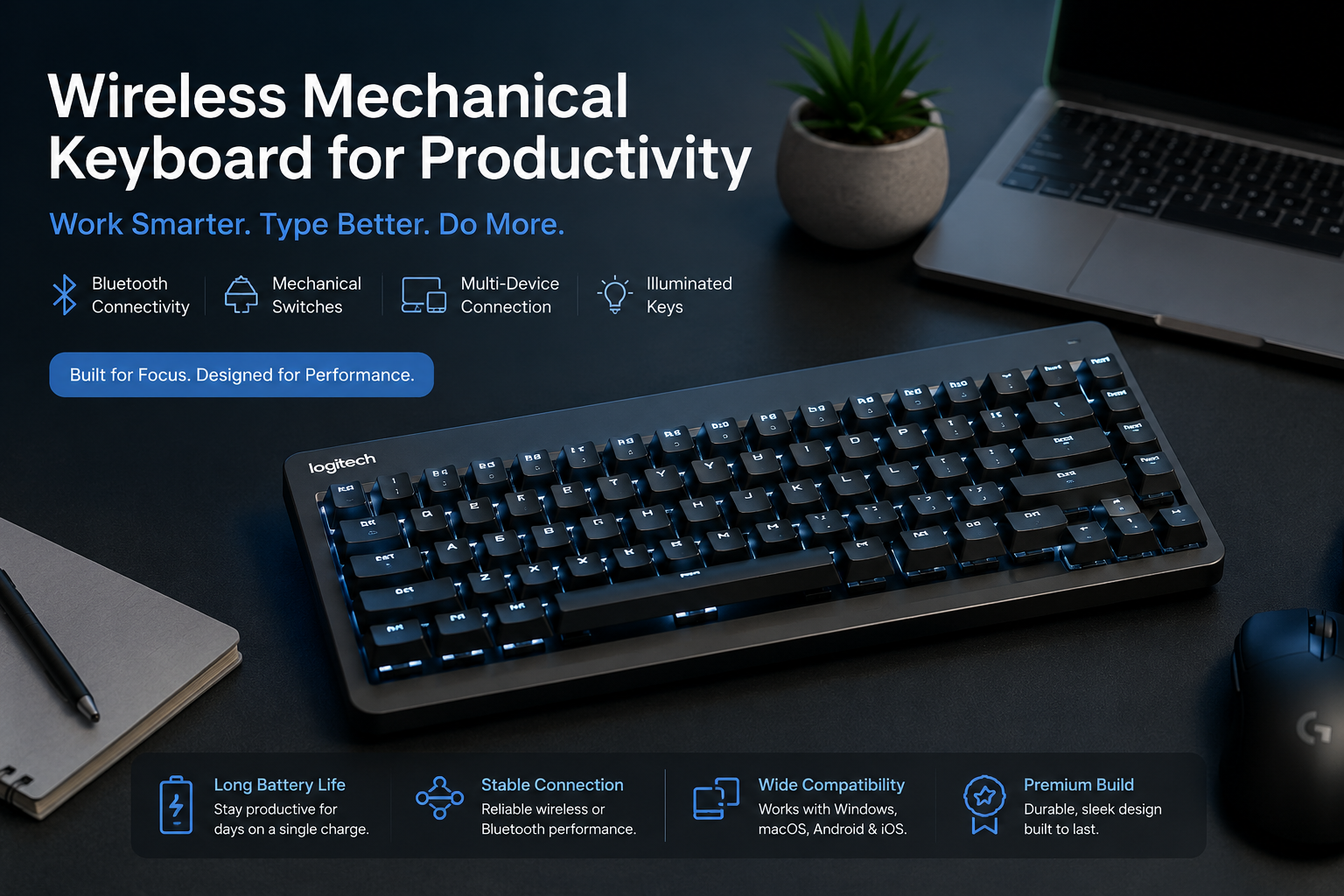
For shoppers looking for a wireless mechanical keyboard, the Logitech model featured on this page is one option worth considering.
Logitech is a well-known peripheral brand, and its keyboard range includes models aimed at productivity and everyday computer use.
Before purchasing, check the current Amazon listing for the exact configuration, compatibility information, availability, and current price.
Check the Current Price
If this product matches your requirements, you can check the latest Amazon listing here:
**Check Current Price on Amazon**
Prices and availability can change, so always check the retailer's current listing before making a purchase.
# Wireless Mechanical Keyboard Buying Checklist
Before buying, ask yourself:
- Do I need a full-size or compact keyboard? - Do I prefer a quieter or more tactile typing experience? - Do I need Bluetooth? - Do I need multi-device support? - Which operating systems do I use? - How important is battery life? - Do I need backlighting? - Will I use the keyboard at home or in an office? - Is the size appropriate for my desk? - Does the current price fit my budget?
Answering these questions can make it much easier to narrow down your options.
# Frequently Asked Questions
Are wireless mechanical keyboards good for productivity?
Yes. They can be a good choice for productivity if you prefer the typing feel of mechanical switches and want a cable-free workspace.
The best option depends on your preferred layout, switch type, connectivity, comfort, and other requirements.
Are mechanical keyboards better than regular keyboards?
Not necessarily.
Mechanical keyboards provide a different typing experience, and many users prefer their key feel and feedback. However, a regular keyboard may be perfectly suitable for someone who prioritizes simplicity, low cost, or quiet operation.
Is a wireless keyboard good for programming?
A wireless mechanical keyboard can be a useful option for programming because developers often spend many hours typing.
However, the best keyboard depends on your preferred layout, key arrangement, comfort, operating system, and connectivity requirements.
What should I check before buying a wireless keyboard?
Check the keyboard layout, switch type, wireless technology, compatibility, battery information, size, comfort, and available features.
Most importantly, verify the exact specifications of the model you are purchasing.
Should I buy an expensive mechanical keyboard?
Not necessarily.
A more expensive keyboard does not automatically mean it is the right keyboard for you.
Choose based on the features you actually need and compare the current price with competing models.
# Final Thoughts
A wireless mechanical keyboard can be a useful upgrade for a productivity-focused workspace.
Instead of choosing a keyboard only because it looks attractive or has a high price, focus on the things that affect your daily experience: layout, switches, connectivity, comfort, battery performance, compatibility, and build quality.
The Logitech keyboard featured in this guide is one option to consider. Before purchasing, review the current Amazon listing and confirm the exact model, specifications, availability, and price.
AffiliateVerse will continue adding technology buying guides and product recommendations to help readers compare options before making purchasing decisions.
---
**Affiliate Disclosure:** AffiliateVerse may earn a commission from qualifying purchases made through links on this page, at no additional cost to you.
One useful email a week
New buying guides, verified deals and fresh reviews. No spam, unsubscribe in one click.